




Last Updated: December 9, 2025
IRS’s Publication 463 describes what costs are deductible, how to include them on your tax return, what documents you need to show your expenses, and how to handle any refunds you could get for your expenses. In this article, we’ve collected the most essential information you need to know as someone who drives a car for work.
Table of Contents
Which part of Publication 463 is about car-related deductions?
Section 4 of Publication 463 provides guidance on tax deductions related to car expenses. The section outlines the rules and regulations surrounding these expenses, including what are deductible expenses, what documentation is required, and what limitations apply.
Types of Automobile Costs
Included among deductible auto-related costs on your tax return are:
- Depreciation: is the expense of buying and maintaining a vehicle over time
- Lease Payments: The expense of leasing an automobile
- Registration Fees: The cost of registering your automobile with the state
- The cost of your car insurance
- The expense of repairs and maintenance for your automobile.
- Cost of gasoline for trips related to business.
- Tolls and Parking: The expense of tolls and parking costs associated with business travel
- Necessary Documents for Automobile Costs
IMPORTANT: To claim car-related deductions, you must maintain accurate and well-organized documents that contain the date of the expense, the amount of the spending, the reason for the expense, and, if appropriate, the business relationship between the individuals involved.
Standard Mileage Rate vs. Actual Expenses Method
To maximize your car-related deductions, you must grasp the concept of the standard mileage rate vs. actual expenses method. The standard mileage rate is a predetermined amount of cents per mile driven for business purposes, but the actual expenses method considers the overall cost of operating your car for business purposes. By understanding the distinctions between these two approaches, you will be able to evaluate which one is ideal for your particular case.
Why Maintaining Records Is Crucial
If you’re a small business owner or at least self-employed, you are aware of the importance of maintaining precise records to maximize your tax deductions. This is particularly true regarding costs associated with travel, entertainment, gifts, and auto expenses.
You must keep sufficient records and supporting paperwork, as required by the IRS, to prove any deductions you claim. Generally, you must keep detailed records of business expenses that include the followin information:
- The date of the expense
- The amount of the expense
- The location of the expense
- The business purpose of the expense
- The names and relationships of the individuals involved, if applicable
For vehicle expenses you will also have to keep a mileage log, whether you use the standard mileage rate or the actual expenses method in order to determine car expenses truly tied to business.
How Long to Keep Records
You must maintain your records for at least three years from the date you file your tax return, according to IRS Publication 463. You might need to maintain your data for a longer period in some circumstances, though. For instance, you must preserve the documents for seven years if you want to claim a deduction for a bad debt or a loss from worthless assets.
What is a mileage log?
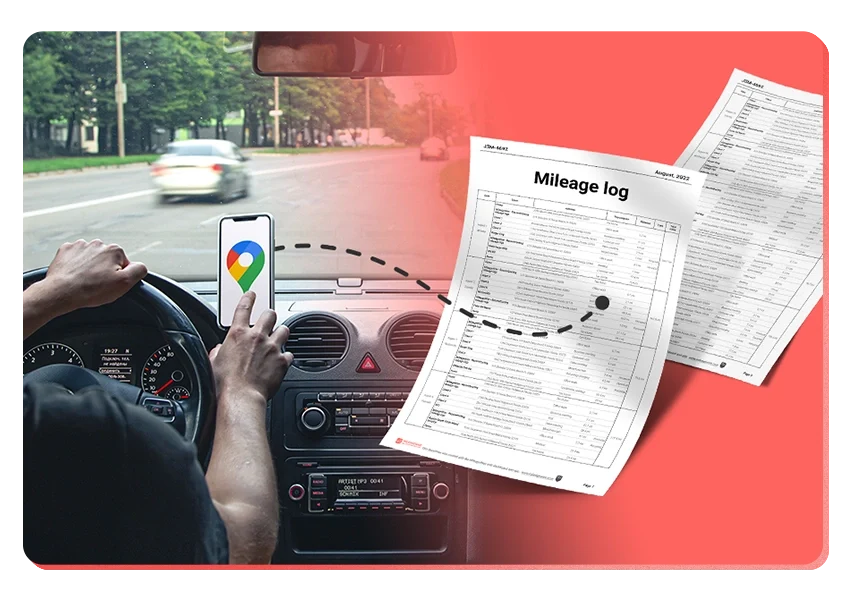
A mileage log serves as a record of the distance you travel for work. It contains the date of each trip, the beginning and finishing points, the intended use of the trip, and the distance traveled.
According to the IRS, “You should record the elements of an expense or of a business use at or near the time of the expense or use and support it with sufficient documentary evidence” to comply with the IRS’s recommendation that it be accurate and “should be” contemporaneous.
Some possibilities for keeping a mileage log are:
- paper mileage logbook
- and Excel mileage spreadsheet template
- a mileage tracker app, such as MileageWise
Whatever approach you go with, it’s crucial to maintain consistency and accuracy in your record-keeping.
Necessary details in a mileage log
Al business trips should be logged with the following information:
- Date of the Trip: Record the exact day the trip took place. It may seem straightforward, but missing or unclear dates are a common audit concern.
- Starting Point and Destination: Note where the trip began and where it ended. Be as specific as possible. City names alone may not be sufficient, so include street addresses or identifiable business names when you can.
- Purpose of the Trip: Explain the reason for the drive, such as business, charitable work, or medical-related travel. Keep the description brief but clear.
- Total Miles Driven: Document the precise mileage for the trip, from start to finish. Avoid rounding or estimating. Accuracy is essential.
- Odometer Readings: You don’t need odometer readings for every trip, but you do need your vehicle’s odometer reading at the beginning and end of the year. These numbers help validate your total annual mileage and support the trips recorded in your log.
What does a “contemporaneous mileage log” mean?
A contemporaneous mileage log is a record of all the trips you make for business purposes, recorded at or near the time of the trip. To be considered contemporaneous, the log can be manually written, entered into Excel, or tracked in apps like mileage trackers, Google Maps, or a built-in GPS system.
Contemporaneous mileage logs should also be kept regularly and accurately, and be supported by evidence such as receipts, bills, and invoices.
If you’re tracking your business mileage using any of the methods mentioned above, even if you import your logs into MileageWise at a later date, it’s still considered contemporaneous because it was originally recorded at or near the time of your trip.
MileageWise, your designated mileage log solution
MileageWise is designed to help users stay tax compliant with IRS Publication 463, which provides guidance on tax deductions related to business expenses, including car expenses. Here are some ways in which MileageWise can help you stay tax-compliant with IRS Publication 463:
Google Timeline Trip Import
Don’t have a mileage log for a certain year in the past? Thankfully, Google Maps had already documented some of my journeys for you if you had Location History Turned on. MileageWise’s Google Timeline import tool turns those trips into accurate mileage logs.
Retrospective Mileage Log Recovery
Is your Google Timeline missing? Are you trying to find a solution to fill in the gaps in your mileage log? The AI Wizard mileage log generator was created specifically for that purpose. It provides you with trip suggestions after learning and analyzing your driving patterns.
Moreover, the Built-in IRS Auditor checks and corrects 70 potential red flags in your mileage log before allowing you to generate it, making sure it is 100% IRS-Proof.
Mileage Log Tax Preparation Service: What is it about?
Even though MileageWise’s program is quite simple, some would prefer to hire professionals to generate their ongoing or retrospective mileage records since they’re too busy to do it themselves.
MileageWise’s mileage log experts will quickly construct your mileage report using their Mileage Log Tax Preparation Service based on the information you provide them…you just need to download your IRS-Proof mileage log at the end of the day.
Try MileageWise for free for 14 days. No credit card required!
Conclusion
By using MileageWise, you can simplify the process of tracking your mileage and expenses, while also ensuring that you are tax compliant with IRS Publication 463. With accurate tracking, detailed reporting, automatic recording, IRS-compliant reporting, and cloud-based storage, MileageWise can help you maximize your mileage deductions while minimizing your tax liability.
FAQ
What is IRS Publication 463?
IRS Publication 463 explains which travel, gift, and car expenses are deductible, how to report them on your tax return, and what records you must keep to support your deductions.
What car expenses can I deduct?
Common deductible expenses include fuel, maintenance, repairs, insurance, registration fees, depreciation, lease payments, tolls, and parking—if they are directly tied to business use.
What is the difference between the standard mileage rate and the actual expenses method?
The standard mileage rate simplifies the process by multiplying your business miles by a fixed IRS rate.
The actual expenses method requires tracking all car costs and calculating the percentage used for business. You may choose the method that gives you the higher deduction.
How long should I keep my mileage and expense records?
Keep your records for at least three years after filing your tax return. For certain situations—like claiming a loss—you may need to keep them for seven years.

What Is Adjusted Gross Income? A Savvy Guide for the 2026 Tax Year
What if the most important number on your 2026 tax return isn’t your total earnings, but the specific figure the IRS uses to decide which credits you…

Per Diem: The Ultimate Guide to Daily Travel Allowances in 2026
What if the hours you spend digitizing every single coffee shop receipt are actually costing you more than the tax deduction itself? For many…

MileageWise Named “Best for Compliance” by Forbes
We’re excited to share that MileageWise has been featured in the Forbes 2025 list of the best mileage trackers! The review highlights what makes MileageWise

Is There a Maximum Mileage Deduction?
You’re wondering if there’s a maximum mileage deduction the IRS allows, the straightforward answer is no. There’s no maximum mileage limit for the IRS standard

Now on the App Store: Mileage Log from Google Maps for iPhone
Our Mileage Log from Google Maps app is now available in the Apple App Store! iPhone users can convert Google Maps Timeline drives into an


Only at MileageWise: Choose the Way to Calculate Your Mileage
We’ve upgraded how mileage is calculated in our mileage tracker app. 🎉 From now on, you can choose between two distance calculation methods depending on
Related Guides
Related Blogposts

Now on the App Store: Mileage Log from Google Maps for iPhone


It’s Finally Here! Google Maps Timeline Import from Mobiles
Transform your Trip Lists into Mileage Logs with MileageWise

What Is Adjusted Gross Income? A Savvy Guide for the 2026 Tax Year
What if the most important number on your 2026 tax return isn’t your total earnings, but the specific figure the IRS uses to decide which credits you…

Per Diem: The Ultimate Guide to Daily Travel Allowances in 2026
What if the hours you spend digitizing every single coffee shop receipt are actually costing you more than the tax deduction itself? For many…

MileageWise Named “Best for Compliance” by Forbes
We’re excited to share that MileageWise has been featured in the Forbes 2025 list of the best mileage trackers! The review highlights what makes MileageWise

Is There a Maximum Mileage Deduction?
You’re wondering if there’s a maximum mileage deduction the IRS allows, the straightforward answer is no. There’s no maximum mileage limit for the IRS standard

Now on the App Store: Mileage Log from Google Maps for iPhone
Our Mileage Log from Google Maps app is now available in the Apple App Store! iPhone users can convert Google Maps Timeline drives into an

Only at MileageWise: Choose the Way to Calculate Your Mileage
We’ve upgraded how mileage is calculated in our mileage tracker app. 🎉 From now on, you can choose between two distance calculation methods depending on

Now on the App Store: Mileage Log from Google Maps for iPhone
Our Mileage Log from Google Maps app is now available in the Apple App Store! iPhone users can convert Google Maps Timeline drives into an

Introducing the Mileage Log from Google Maps App
We’re excited to share our latest development! You can now convert your Google Maps Timeline drives directly into an IRS-compliant mileage log right on your

Was Your Google Timeline Deleted? Here’s What Happened:
Last updated: November 20, 2025 If you recently opened Google Maps and noticed your Timeline was deleted or partially missing, you’re not alone. In this

It’s Finally Here! Google Maps Timeline Import from Mobiles
Struggling to Manage Your Trips After Google’s Timeline Update? If you’re reading this, you’ve likely encountered the recent update affecting Google Maps Timeline. With Timeline

Transform your Trip Lists into Mileage Logs with MileageWise
Last Updated: October 1, 2025 Do you have a list of monthly trips from a data source like Excel or Google Timeline, but need to

How to Download Google Timeline Data: A Guide
Google Timeline Import Hub Last Updated: October 30, 2025 Want to download Google Timeline data? This guide shows you how to extract your location history

How to Export Google Maps Timeline: Get Your Data
Google Timeline Import Hub Last Updated: October 29, 2025 It can be tricky to export Google Maps Timeline data after Google’s recent updates. Many users
Google Maps Mileage Tracker: From Timeline to Mileage Log
Google Timeline Import Hub Last updated: February 26, 2026 If you’re an active user of Google Maps Timeline you likely already know how convenient it
Timeero
Table of Contents Timeero Timeero is a time, location, and mileage tracking app designed for businesses and teams in the United States. It helps employers
Milewise by Allstate
Table of Contents Milewise by Allstate Milewise by Allstate is a pay-per-mile car insurance program offered by Allstate Insurance in the United States. It’s designed
Hurldr
Table of Contents Hurdlr Hurdlr is a finance and expense tracking app designed for self-employed professionals, freelancers, and gig workers in the United States. It