
Last Updated: November 11, 2025
The gig economy has revolutionized the way we think about work, offering flexibility and autonomy like never before. Caviar, a premier food delivery service, stands out as a lucrative opportunity for those looking to earn through meal delivery. In this article, we’ll explore what it means to be a Caviar driver, the benefits, the challenges, and how you can maximize your earnings in this dynamic field.

Table of Contents
What is Caviar?
Caviar started as a gourmet food delivery service and has since evolved into a significant player in the food delivery industry, now under the umbrella of DoorDash. It specializes in delivering meals from high-end and popular local restaurants to customers’ doorsteps. So, why opt for Caviar over others? Simply put, Caviar often targets a more upscale clientele, which can translate to higher earnings and tips for delivery drivers.
Caviar Delivery Jobs: Pros and Cons
Working with Caviar comes with its set of benefits and challenges. Caviar delivery drivers appreciate the flexibility of choosing their hours and the higher potential for tips due to the nature of the orders. However, the job is not without its hurdles, such as dealing with peak meal times and navigating through traffic, which can test your patience and time management skills. Additionally, there might be fewer orders from Caviar, as there might be a higher demand for more affordable meals and fast food.
Earnings and Benefits
How Much Can You Earn as a Caviar Driver?
The earnings for a Caviar driver can vary widely based on several factors, such as the city, the time of day, and the number of hours worked. Generally, Caviar promotes a competitive pay structure up to $25/hr, especially when demand is high. Couriers earn money per delivery plus tips, and since Caviar tends to serve higher-end restaurants, tips can be substantial.
Drivers receive payment via direct deposit, which makes the process straightforward and convenient.
Tips to Maximize Earnings
- Work during peak times: Lunch and dinner rushes, especially from Friday to Sunday, are typically the busiest times and can help increase your earnings due to higher demand and more generous tipping.
- Participate in promotions: Doordash often offers promotions where food delivery drivers can earn extra money for completing a certain number of deliveries within a specified timeframe or during busy hours.
- Provide excellent service: Customer tips can make a significant difference in earnings. Friendly, efficient service can lead to higher tips.
- Maximize you tax savings: Caviar drivers are self-employed, which means they are eligible for several tax deductions, which we will explore in detail in this article.
Requirements to Become a Caviar Driver
Legal and Age Requirements
To drive for Caviar, you must meet the following criteria:
- Age: You must be at least 18 years old.
- Legal Right to Work: You need to have the legal right to work in the U.S.
- You must have at least 2 years of driving experience.
- Background Check: A clean driving record and a criminal background check are mandatory. The background check covers driving history and criminal background nationwide.
Vehicle Requirements
The type of vehicle allowed can vary by city, but generally, the requirements are as follows:
- Car, Scooter, or Bicycle: In some cities, Caviar allows deliveries by scooter or bicycle in addition to cars. This is particularly beneficial in densely populated urban areas where navigating traffic and parking can be challenging.
- Insurance: Adequate vehicle insurance is mandatory.
- Safety: The vehicle must be in safe working condition.
Detailed Application Process for Caviar Drivers
Step 1: Online Application Submission
- Initial Sign-Up: Begin by visiting the DoorDash website (as Caviar is now part of DoorDash) and navigating to the application section. To apply, you will need to provide basic information such as your name, address, and contact information.
- Vehicle Information: Depending on the city, you’ll also need to input details about the vehicle you plan to use for deliveries, including make, model, and year. If you’re delivering by bike or scooter, you’ll indicate that here.
Step 2: Interview
- Orientation: Once your application has been submitted, a representative from Caviar will get in touch with you. This contact will be followed by an interview and a face-to-face session. Depending on local regulations, a background check may be conducted either after your interview or once you’ve received a conditional offer. Once you agree to the Courier Terms and Conditions with Caviar, you’ll be able to set yourself as available to start making deliveries.
- Delivery Gear: Doordash may provide you with delivery gear, such as an insulated bag, which is either given during the onboarding session or mailed to you.
Step 4: Download and Set Up the Driver App
- App Installation: After clearing the onboarding process, you’ll need to download the DoorDash driver app if you haven’t already. This application is where you’ll receive food Caviar delivery requests, manage deliveries, track your earnings, and communicate with customers.
- App Setup: Set up your profile in the app, including linking your bank account for direct deposit payments. The app will guide you through how to accept delivery offers, manage delivery routes, and handle customer interactions.
Step 5: Start Accepting Deliveries
- Going Live: Once your app is set up, and you’re familiar with how it works, you can start accepting delivery assignments. You can log into the app and set yourself as available to take orders during the times that work best for your schedule.
- Accepting Orders: When an order comes in, the app will notify you. You’ll see information about the delivery, including pick-up and drop-off locations, estimated time, and earnings. You can then choose to accept or decline the delivery request based on your availability and preferences.
Advanced Tips for Caviar Couriers
Everyday Strategies
To really excel at this job, consider these strategies:
- Increase your tips by providing exceptional service and maintaining a positive attitude.
- Choose your delivery times wisely; peak meal times can mean more orders and higher tips.
- Plan your routes efficiently to save time and fuel.
- Always be courteous and professional to ensure a good customer experience.
Keep track of your Earnings and Expenses
As an independent contractor, managing your finances is crucial. Keeping track of your earnings and understanding your expenses will give you a clear overview of your profits and help identify aspects of your business that need improvement. Moreover, precise records are essential in managing your taxes and deductions.

Reimbursements and Deductions for Caviar Drivers
Deductions for Caviar Drivers
As an independent contractor, you are responsible for covering your own expenses, which become deductible when you file your taxes. Here are some common deductions that Caviar couriers can claim:
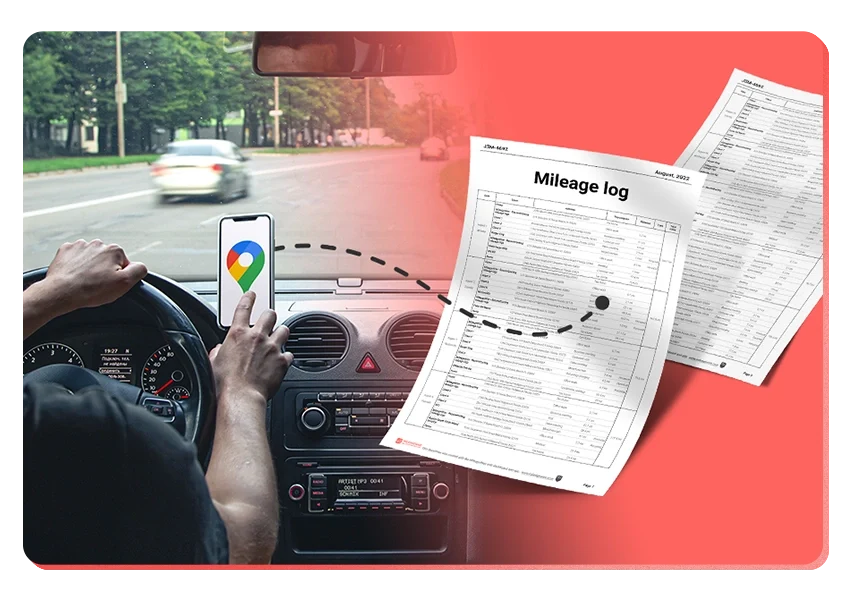
- Mileage Deduction: This is one of the most significant deductions. The IRS allows you to deduct the standard mileage rate for every business mile driven. To take advantage of the mileage tax deduction, you need to keep detailed records of your miles driven for work purposes.
- Vehicle Expenses: You have the option to track your vehicle expenses to claim your actual vehicle expenses instead of the federal mileage rate. This includes gas, repairs, insurance, and depreciation prices. Keep in mind that you can only choose one tracking method, and the standard mileage rate is often simpler and yields a higher deduction.
- Mobile Phone and Service Plan: Since a smartphone is essential for managing your deliveries through the Doordash app, a portion of your phone purchase and your monthly service charges can be deducted. Only the percentage of time using the device for work can be deducted.
- Supplies and Equipment: Any gear purchased specifically for your delivery work, such as insulated bags or smartphone mounts for your car, can also be deducted.
- Health Insurance Premiums: If you are self-employed and pay for your own health insurance, these costs can potentially be deducted.
How Deductions Work
To effectively leverage these deductions:
- Keep Meticulous Records: Maintain accurate logs of your mileage, receipts for gas, vehicle maintenance, phone bills, and any other expenses related to your delivery work.
- Choose the Right Deduction Method: For vehicle expenses, decide whether the standard mileage rate or the actual expenses method yields a higher deduction. The actual expense method might be more beneficial for you if your vehicle comes with high costs.
- File Schedule C: Report your income and expenses on Schedule C of your tax return. This form is used by sole proprietors to detail profits and losses from a business.
Maximizing Your Tax Deductions
Understanding and taking full advantage of these deductions requires good organization and a proactive approach throughout the year. Consulting with a tax professional can ensure that you are making the most of the potential tax benefits available to you when you drive for Caviar. Additionally, consider using apps or software designed for gig workers to help track expenses and mileage, like the MileageWise mileage tracker app.
MileageWise Mileage Tracker for Caviar Drivers
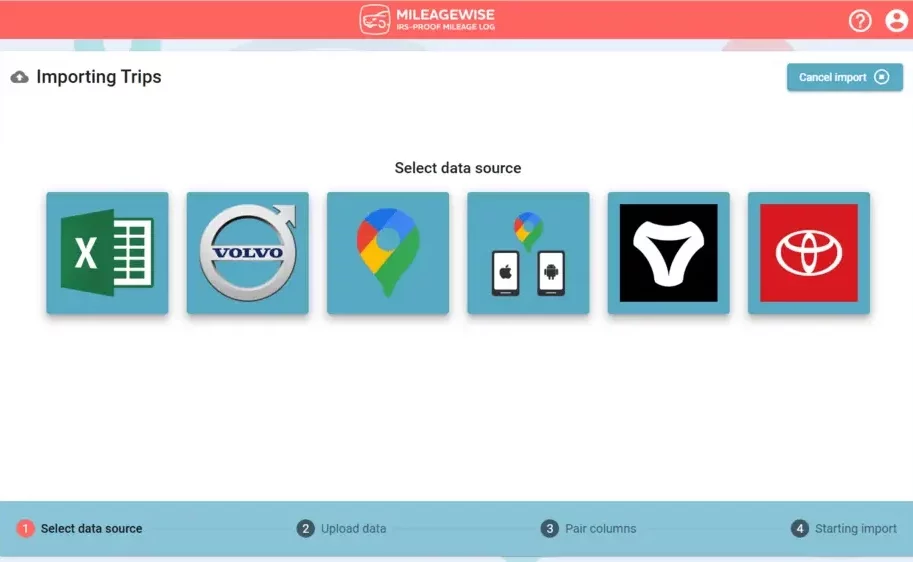
If you’re delivering with Caviar, you know how quickly the miles add up and how easy it is to lose track of them. That’s where MileageWise comes in. It’s a dedicated mileage tracking app built to help gig drivers like you stay IRS-compliant and maximize deductions without the hassle of manual logs.
MileageWise addresses the most common mileage tracking challenges that couriers face with unique solutions:
- Automatic Mileage Tracking: Capture your daily delivery routes automatically using multiple tracking modes designed for on-the-road professionals.
- Quick Setup: Start logging trips in minutes and focus on your deliveries instead of your paperwork.
- Ad-Free & Privacy-Focused: Enjoy smooth, distraction-free tracking with no ads, upsells, or unnecessary data sharing.
- Backup Mileage Capture: Ensures your start and end points are logged accurately and no miles are missed in between. Even with patchy reception or minor device issues.
- Flexible Routing/Distance Calculations: Choose between tracking exact routes or using optimized distances to match your preferences.
- Routing Integration with Waze: Navigate your Caviar deliveries with Waze while MileageWise quietly tracks in the background.
- Expense Tracking Integration: Keep your mileage and work-related expenses organized in one place, simplifying your tax season prep.
Try MileageWise for free for 14 days. No credit card required!
Conclusion: Drive Smarter, Earn More
Becoming a Caviar driver offers flexibility, independence, and the chance to earn well while exploring your city. But to truly make the most of your time on the road, staying organized and maximizing tax deductions is key. With a reliable mileage tracker like MileageWise, you can focus on deliveries while the app handles your mileage logging in the background, ensuring every mile counts. Whether you’re just starting out or already an experienced courier, smart tools and informed habits will keep your business efficient and profitable all year long.
FAQ
Do Caviar drivers see tips?
Yes, Caviar drivers do see tips. After completing a delivery, the tip amount, if any, will be visible in the Caviar driver app. Customers have the option to add a tip at the time of ordering or after the delivery is completed. Tips are 100% passed on to the drivers, and these additional earnings can significantly increase overall income.
How much do Caviar drivers make?
Earnings for Caviar drivers can vary widely depending on several factors such as the city, the number of hours worked, and the frequency of deliveries. Generally, drivers can expect to make anywhere from $10 to $25 per hour, including tips. Caviar often offers incentive programs and promotions that can further boost earnings, especially during peak dining times or in high-demand areas.
How do I apply to be a Caviar driver?
To apply to be a Caviar driver, you need to follow these steps:
- Visit the official DoorDash website and navigate to the careers or delivery drivers section.
- Fill out the application form with your personal details, vehicle information, and any other required information.
- Agree to undergo a background check, which will review your driving history and criminal record.
- Once approved, you’ll receive instructions on how to download and set up the Caviar driver app, and you can start accepting delivery orders as soon as you complete any required onboarding or training sessions.
Caviar delivery vs DoorDash: What is the difference?
While Caviar and DoorDash are now part of the same company, there are still some differences in their operations and target markets. Caviar tends to focus on higher-end restaurants and clientele, which can lead to higher tips and potentially higher earnings per delivery. DoorDash has a broader range of restaurant partners and typically a larger delivery area, which might offer more frequent delivery opportunities. Caviar is known for its selective partnership with upscale dining establishments, while DoorDash caters to a wider variety of eating places, including fast food, which can affect the average order size and the tipping habits of customers.
It is important, however, that regional differences can result in different outcomes. Therefore, it is important to experiment with other courier apps like Uber Eats, Grubhub, or GoPuff.

Introducing the Google Timeline to Mileage Log Mobile App
We’re excited to share our latest development! You can now convert your Google Maps Timeline drives directly into an IRS-compliant mileage log right on your

DoorDash Tips and Tricks: Your Edge Over Competition
Last Updated: November 17, 2025 I’m excited to share the top DoorDash tips and tricks shared by YouTuber Pedro “Mr.BetonYou” Santiago. He collected and vetted the

8 Uber and Lyft Scams Every Driver Should Know
Last Updated: November 9, 2025 Driving for Uber or Lyft can be a rewarding gig, offering flexibility and the chance to meet new people. However,
SherpaShare Shutdown – What To Do Now?
Last Updated: October 7, 2025 SherpaShare was a service designed primarily for people who work as independent contractors, particularly those in the ride-sharing and delivery
Gas Mileage Tracker: Your Key to Savings
Last Updated: August 8, 2025 A gas mileage tracker helps drivers watch their vehicle’s fuel use, mileage, and related costs. You might want one to

How To Track Miles on iPhone: Find your Match
Last Updated: August 6, 2025 Looking to track miles on your iPhone? Whether it’s for fitness, personal use, or business tax deductions, your iPhone offers
Try MileageWise for free for 14 days. No credit card required!
Related Guides
Related Blogposts


It’s Finally Here! Google Maps Timeline Import from Mobiles
Transform your Trip Lists into Mileage Logs with MileageWise

Introducing the Google Timeline to Mileage Log Mobile App
We’re excited to share our latest development! You can now convert your Google Maps Timeline drives directly into an IRS-compliant mileage log right on your

DoorDash Tips and Tricks: Your Edge Over Competition
Last Updated: November 17, 2025 I’m excited to share the top DoorDash tips and tricks shared by YouTuber Pedro “Mr.BetonYou” Santiago. He collected and vetted the

8 Uber and Lyft Scams Every Driver Should Know
Last Updated: November 9, 2025 Driving for Uber or Lyft can be a rewarding gig, offering flexibility and the chance to meet new people. However,
SherpaShare Shutdown – What To Do Now?
Last Updated: October 7, 2025 SherpaShare was a service designed primarily for people who work as independent contractors, particularly those in the ride-sharing and delivery
Gas Mileage Tracker: Your Key to Savings
Last Updated: August 8, 2025 A gas mileage tracker helps drivers watch their vehicle’s fuel use, mileage, and related costs. You might want one to

How To Track Miles on iPhone: Find your Match
Last Updated: August 6, 2025 Looking to track miles on your iPhone? Whether it’s for fitness, personal use, or business tax deductions, your iPhone offers

Introducing the Google Timeline to Mileage Log Mobile App
We’re excited to share our latest development! You can now convert your Google Maps Timeline drives directly into an IRS-compliant mileage log right on your

Was Your Google Timeline Deleted? Here’s What Happened:
Last updated: November 20, 2025 If you recently opened Google Maps and noticed your Timeline was deleted or partially missing, you’re not alone. In this

It’s Finally Here! Google Maps Timeline Import from Mobiles
Struggling to Manage Your Trips After Google’s Timeline Update? If you’re reading this, you’ve likely encountered the recent update affecting Google Maps Timeline. With Timeline
Transform your Trip Lists into Mileage Logs with MileageWise
Last Updated: October 1, 2025 Do you have a list of monthly trips from a data source like Excel or Google Timeline, but need to
How to Download Google Timeline Data: A Guide
Google Timeline Import Hub Last Updated: October 30, 2025 Want to download Google Timeline data? This guide shows you how to extract your location history

How to Export Google Maps Timeline: Get Your Data
Google Timeline Import Hub Last Updated: October 29, 2025 It can be tricky to export Google Maps Timeline data after Google’s recent updates. Many users
Google Maps Mileage Tracker: From Timeline to Mileage Log
Google Timeline Import Hub Last Updated: October 29, 2025 If you’re an active user of Google Maps Timeline you likely already know how convenient it
Timeero
Table of Contents Timeero Timeero is a time, location, and mileage tracking app designed for businesses and teams in the United States. It helps employers
Milewise by Allstate
Table of Contents Milewise by Allstate Milewise by Allstate is a pay-per-mile car insurance program offered by Allstate Insurance in the United States. It’s designed
Hurldr
Table of Contents Hurdlr Hurdlr is a finance and expense tracking app designed for self-employed professionals, freelancers, and gig workers in the United States. It