




Last Updated: November 14, 2025
Becoming a Wag caregiver is an exciting opportunity for animal lovers who wish to turn their passion into a rewarding career. This guide provides a thorough overview of the Wag platform, detailing the signup process, operational insights, and essential tax responsibilities. Understanding these aspects will help you make the most of your experience with Wag and ensure a smooth journey as a caregiver.
Table of Contents
Signing Up as a Wag Caregiver
Step-by-Step Sign-Up Process
Creating a profile on the Wag platform is the first step to becoming a caregiver. Visit the Wag website and navigate to the caregiver signup section. Here, you’ll be asked to enter your personal information, including your name, address, and contact details. The next step involves completing a comprehensive background check to ensure the safety and security of all pets and clients.
Once the background check is complete you can move on with your application. You have the option to receive endorsements on the endorsement link that Wag sends you via e-mail before completing your pet safety quiz. You may repeat the test until you pass.
Requirements
To become a Wag pet caregiver, there are specific requirements you must meet. Applicants must be at least 18 years old, possess experience with pets, and have a reliable mode of transportation. Additionally, you will need to provide a valid ID, and proof of address.
Tips for a Successful Application
When applying, it’s essential to highlight your relevant experience and skills. Emphasize any previous work with animals, whether professional or volunteer and showcase your ability to handle various pet care situations. During the first steps of the sign-up process, you’ll receive an endorsement link where people can write about their positive experiences with you as a pet caretaker. Additionally, prepare thoroughly for the application quiz by visiting Wag’s Safety Center. You may repeat the test in case you fail. Once your are done, you can log into the wag pet caregiver app and start accepting jobs.
How Wag for Caregivers Works
Using the Wag App
The Wag app for pet caregivers is the primary tool you’ll use as a caregiver. Navigating the app is straightforward, with a user-friendly interface that allows you to accept and manage job requests easily. The app provides all necessary details about each assignment, including pet information, care instructions, and location.
Types of Services
Wag offers a variety of services, including dog walking, pet sitting, boarding, and even dog and cat training. Each service comes with specific duties and responsibilities. Dog walking involves taking dogs for walks as per their schedule, ensuring they get the exercise and attention they need. Pet sitting requires staying with pets in their homes, providing companionship and care. However, boarding involves hosting pets at your home, offering a safe and comfortable environment.
Building a Clientele
Attracting and retaining clients is crucial for success as a Wag caregiver. Start by delivering exceptional service to earn positive reviews and high ratings. Encourage clients to leave feedback and refer you to their friends. Consistency and reliability will help you build a loyal client base over time.
Understanding Pay as a Wag Caregiver
Pay Structure
As a Wag petcaregiver, your platform offers different base rates for different services, while you can also set your own rates. Additionally, caregivers receive the entirety of tips and bonuses based on the quality of their service and client satisfaction.
Payment Process
Wag ensures caregivers are paid promptly and efficiently. Payments are processed weekly, and you can set up direct deposit to receive your earnings directly into your bank account. The app also allows you to track your payments and manage your finances easily.
Maximizing Earnings
To maximize your earnings, consider these best practices. Take advantage of peak times when demand for pet care services is high. Also, utilize referral bonuses by inviting friends and family to join the platform. Providing outstanding service consistently will lead to more tips and higher earnings.

Managing Taxes as Wag Caregiver
Tax Basics for Freelancers
As a Wag caregiver, you are classified as an independent contractor, not an employee. This status comes with specific tax responsibilities. You’ll receive a 1099 form from Wag, detailing your earnings for the year to prove your income.
Deductible Expenses
Freelancers can deduct various expenses to reduce their taxable income. Common deductions for dog walkers include mileage, pet care supplies, and any costs associated with running your business. Keep accurate records of these expenses for accurate and audit-proof tax filing.
Avoiding Common Tax Mistakes
Frequent tax errors can lead to penalties and might trigger an IRS Audit. Common mistakes include underreporting income, failing to track expenses and mileage accurately, and missing deadlines. Staying organized and informed about tax obligations will protect you from a potential audit.
Save Thousands a Year with Mileage Tracking
Why Mileage Deductions Matter
For those traveling frequently between client locations, mileage can be a significant deductible expense. The IRS sets a yearly mileage rate which determines how much you can deduct per business mile. Note that tracking every mile for Wag services accurately is crucial for claiming mileage deduction.
Best Practices for Mileage Logs
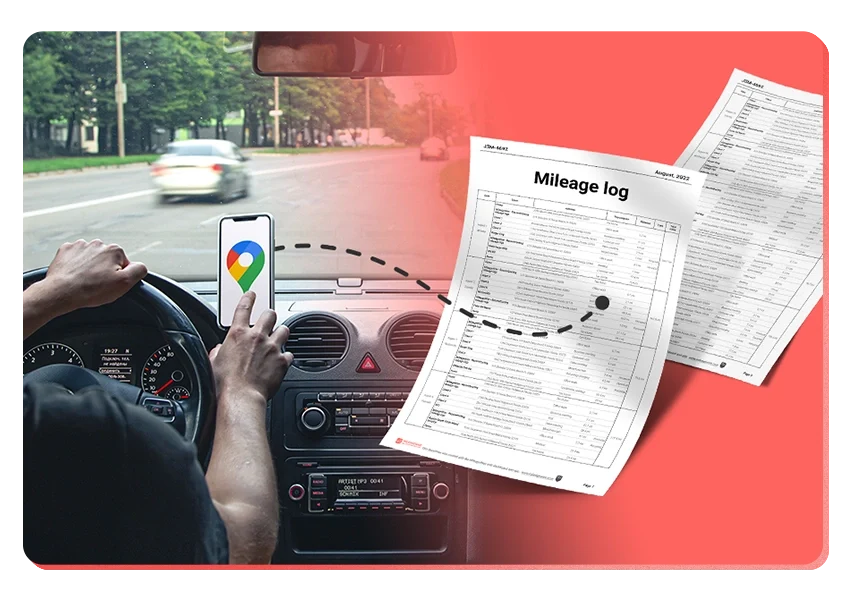
Maintain a detailed mileage log including the date, mileage, starting and ending points, and trip purpose. Consistent record-keeping ensures IRS compliance and maximizes deductions. Furthermore, using a mileage tracker app simplifies the process, helping generate compliant records that meet IRS standards.
MileageWise Mileage Tracker App for Wag Caregivers
Managing mileage is crucial for maximizing tax deductions, and having a reliable tool to help track and record these expenses can make a significant difference. MileageWise stands out as an excellent mileage tracking solution, designed to meet the specific needs of Wag caregivers. This innovative app offers a range of features that simplify the process of mileage logging, ensuring accuracy and compliance with IRS regulations.
Among many options out there, MileageWise stands out thanks to its exceptional customer support and advanced features:
- Automatic Mileage Tracking – captures every trip between clients, walks, and pet visits. Multiple tracking modes.
- Quick Setup – start tracking your routes in minutes instead of waiting time on a long onboarding.
- Ad-Free & Privacy-Focused – enjoy a clean experience without distractions, knowing your data is safe.
- Backup Mileage Capture – never lose a mile, even if a sudden drop of signal or device issues temporarily disable location access.
- Flexible Routing/Distance Calculations – choose actual route tracking or optimized distance calculations.
- Routing Integration with Waze – navigate to each pet visit quickly while logging your mileage.
- Expense Tracking Integration – easily connect and track your pet-care-related vehicle costs.
Try MileageWise for free for 14 days. No credit card required!
Final Thoughts for Wag Caregivers
Becoming a Wag caregiver can be both rewarding and profitable when you understand the platform and stay organized. With the right tools, including a dependable mileage tracker like MileageWise, you can simplify your workflow, keep your taxes stress-free, and focus on providing great care to every pet you meet!
. Furthermore, using tools like mileage tracker apps can further enhance your efficiency and ensure you take full advantage of available tax deductions.
FAQ
What qualifications do I need to become a Wag caregiver?
To become a Wag caregiver, you must be at least 18 years old, have experience with pets, and pass a background check. Additionally, you will need a reliable mode of transportation and provide a valid ID and proof of address.
How do I sign up for Wag as a pet caregiver?
Signing up involves creating a profile on the Wag website, completing a background check, undergoing Wag’s training, and passing an application quiz. You may also receive endorsements from others who can vouch for your pet care experience.
What services can I offer on the Wag platform?
Wag caregivers can offer dog walking, pet sitting, boarding, and even dog and cat training services. Each service has specific duties and responsibilities you will be trained to handle.
How is payment processed for Wag caregivers?
Wag processes payments weekly, and caregivers can set up direct deposit to receive their earnings directly into their bank accounts. The app also helps track payments and manage finances easily.
What are common deductible expenses for Wag caregivers?
Common deductible expenses for Wag caregivers include mileage, pet care supplies, and costs associated with running your business. Keeping accurate records of these expenses is crucial for tax purposes.
How can I save on taxes with mileage tracking as a Wag caregiver?
By tracking every mile accurately, you can claim the IRS mileage rate deduction. Using a mileage tracker app like MileageWise ensures compliant and accurate logs, maximizing your tax deductions.

Introducing the Google Timeline to Mileage Log Mobile App
We’re excited to share our latest development! You can now convert your Google Maps Timeline drives directly into an IRS-compliant mileage log right on your

DoorDash Tips and Tricks: Your Edge Over Competition
Last Updated: November 17, 2025 I’m excited to share the top DoorDash tips and tricks shared by YouTuber Pedro “Mr.BetonYou” Santiago. He collected and vetted the

8 Uber and Lyft Scams Every Driver Should Know
Last Updated: November 9, 2025 Driving for Uber or Lyft can be a rewarding gig, offering flexibility and the chance to meet new people. However,
SherpaShare Shutdown – What To Do Now?
Last Updated: October 7, 2025 SherpaShare was a service designed primarily for people who work as independent contractors, particularly those in the ride-sharing and delivery
Gas Mileage Tracker: Your Key to Savings
Last Updated: August 8, 2025 A gas mileage tracker helps drivers watch their vehicle’s fuel use, mileage, and related costs. You might want one to

How To Track Miles on iPhone: Find your Match
Last Updated: August 6, 2025 Looking to track miles on your iPhone? Whether it’s for fitness, personal use, or business tax deductions, your iPhone offers
Try MileageWise for free for 14 days. No credit card required!
Related Guides
Related Blogposts


It’s Finally Here! Google Maps Timeline Import from Mobiles
Transform your Trip Lists into Mileage Logs with MileageWise

Introducing the Google Timeline to Mileage Log Mobile App
We’re excited to share our latest development! You can now convert your Google Maps Timeline drives directly into an IRS-compliant mileage log right on your

DoorDash Tips and Tricks: Your Edge Over Competition
Last Updated: November 17, 2025 I’m excited to share the top DoorDash tips and tricks shared by YouTuber Pedro “Mr.BetonYou” Santiago. He collected and vetted the

8 Uber and Lyft Scams Every Driver Should Know
Last Updated: November 9, 2025 Driving for Uber or Lyft can be a rewarding gig, offering flexibility and the chance to meet new people. However,
SherpaShare Shutdown – What To Do Now?
Last Updated: October 7, 2025 SherpaShare was a service designed primarily for people who work as independent contractors, particularly those in the ride-sharing and delivery
Gas Mileage Tracker: Your Key to Savings
Last Updated: August 8, 2025 A gas mileage tracker helps drivers watch their vehicle’s fuel use, mileage, and related costs. You might want one to

How To Track Miles on iPhone: Find your Match
Last Updated: August 6, 2025 Looking to track miles on your iPhone? Whether it’s for fitness, personal use, or business tax deductions, your iPhone offers

Introducing the Google Timeline to Mileage Log Mobile App
We’re excited to share our latest development! You can now convert your Google Maps Timeline drives directly into an IRS-compliant mileage log right on your

Was Your Google Timeline Deleted? Here’s What Happened:
Last updated: November 20, 2025 If you recently opened Google Maps and noticed your Timeline was deleted or partially missing, you’re not alone. In this

It’s Finally Here! Google Maps Timeline Import from Mobiles
Struggling to Manage Your Trips After Google’s Timeline Update? If you’re reading this, you’ve likely encountered the recent update affecting Google Maps Timeline. With Timeline
Transform your Trip Lists into Mileage Logs with MileageWise
Last Updated: October 1, 2025 Do you have a list of monthly trips from a data source like Excel or Google Timeline, but need to

How to Download Google Timeline Data: A Guide
Google Timeline Import Hub Last Updated: October 30, 2025 Want to download Google Timeline data? This guide shows you how to extract your location history

How to Export Google Maps Timeline: Get Your Data
Google Timeline Import Hub Last Updated: October 29, 2025 It can be tricky to export Google Maps Timeline data after Google’s recent updates. Many users
Google Maps Mileage Tracker: From Timeline to Mileage Log
Google Timeline Import Hub Last Updated: October 29, 2025 If you’re an active user of Google Maps Timeline you likely already know how convenient it
Timeero
Table of Contents Timeero Timeero is a time, location, and mileage tracking app designed for businesses and teams in the United States. It helps employers
Milewise by Allstate
Table of Contents Milewise by Allstate Milewise by Allstate is a pay-per-mile car insurance program offered by Allstate Insurance in the United States. It’s designed
Hurldr
Table of Contents Hurdlr Hurdlr is a finance and expense tracking app designed for self-employed professionals, freelancers, and gig workers in the United States. It