
IRS Mileage Log Guide


Home » IRS-Compliant Mileage Log » How to Track Mileage for Taxes
Last Updated: July 20, 2026
If you’re asking how to track mileage for taxes, you’re on the right path to saving money. Business driving deductions can add up to thousands of dollars each year. The IRS allows you to deduct the costs of using your car for work. This is especially true for self-employed individuals, gig workers, and small business owners. However, you need accurate and detailed records to back up your claims if the IRS comes calling. Let’s break down how to get this done.
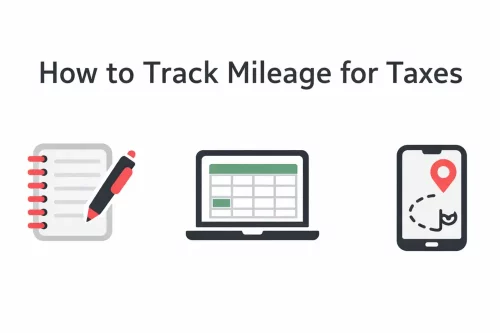
Table of Contents
Key Elements of a Mileage Log
To claim a mileage deduction, you must keep contemporaneous records. This means recording your mileage at or near the time of each trip instead of trying to guess or rebuild your entire log at tax time. Logging trips immediately is best, but a consistently maintained daily or weekly log supported by reliable records, such as your business calendar, may also work.
It’s also not just about staying compliant. Tracking your miles can save you thousands. Here’s what you need to track for each business trip to maintain IRS-compliant mileage records:
- Date: When the trip happened.
- Destination: Where you went.
- Business Purpose: Why you took the trip.
- Miles Driven: How far you drove.
You should additionally record your odometer readings at least yearly, ideally at the beginning and end of the year. This allows you to compare the mileage in your log with the vehicle’s actual total distance.
Your total annual mileage also helps establish what percentage of the vehicle’s use was for business:
Business-use percentage = business miles ÷ total vehicle miles
Remember, you cannot deduct personal miles. Only trips strictly for work are eligible for the business mileage deduction, such as trips to client meetings, temporary job sites, or between business locations. This generally does not include your regular commute from home to your primary workplace.
Medical, qualifying military moving, and charitable trips may also be deductible, but different eligibility rules and mileage rates apply.
Standard Mileage Rate vs. Actual Vehicle Expenses
Tracking your business mileage is important whether you use the standard mileage method or the actual expense method to calculate your vehicle deduction.
- Standard mileage method: Multiply your qualifying business miles by the applicable IRS mileage rate.
- Actual expense method: Deduct the business-use portion of eligible vehicle expenses, such as gas, repairs, maintenance, insurance, registration fees, lease payments, and depreciation.
If you use the actual expense method, your mileage log helps establish your business-use percentage, but the mileage log alone is not enough. You should also retain receipts, invoices, and other records that document the vehicle expenses you claim.
Parking fees and tolls related to qualifying business trips may generally be tracked separately. However, you cannot use the standard mileage rate and also deduct the vehicle expenses already covered by that rate.
Not every taxpayer or vehicle qualifies for both methods. Previous depreciation choices, Section 179 deductions, lease treatment, and other factors may affect which method is available. Review the current IRS rules or consult a tax professional before choosing a method.

Proven Methods to Track Mileage for Work
Choosing the right way to track your miles is key to making sure your records are accurate. Many people wonder how to log miles for taxes. There are a few main ways to go about it, each with its own pros and cons. Automated apps are usually the most accurate and easiest to use, but manual methods can work for those who don’t drive much for work.
Let’s look at the most common methods for tracking mileage.
1. Manual Paper Logbook
This is the old-school way. You write down each trip by hand.
- How it works: You keep a small notebook in your car. Every time you drive for business, you write down the date, where you started, where you went, why you went there, and how many miles it was. You also write down your odometer reading at the start and end of the year.
- Pros: Free and very simple to start.
- Cons: Easy to forget entries, can become messy, very time-consuming, and prone to errors. You also have to calculate distances yourself. Missing trips may be difficult to reconstruct accurately later.
- Best for: People who rarely drive for business and have very few trips to track.
2. Spreadsheets and Odometer Readings
This method is more organized than a simple paper log but still requires manual input.
- How it works: For each business trip, you record the required details and may also enter the starting and ending odometer readings. The spreadsheet can then calculate the distance automatically. A detailed business calendar can support this method by helping you verify appointment dates, destinations, and business purposes during a daily or weekly review.
- Pros: More organized than a paper log, can be stored digitally, and allows easy edits and automatic calculations.
- Cons: Still requires you to manually record information for each trip, which can be forgotten or entered incorrectly. Waiting too long between updates makes the details harder to verify.
- Best for: Basic tracking for people who are comfortable with spreadsheets and consistent about reviewing their trips.
3. Automated GPS Tracking Apps
These apps use your phone’s GPS or motion sensors to automatically detect and log your drives. They allow you to separate business and personal trips and create detailed reports that you can export for your taxes.
- How it works: You install the app on your phone. It runs in the background, using GPS or motion sensors to detect when you start and stop driving. It then records details such as the route, distance, and destinations. You review the recorded drives and assign the correct business purpose.
- Pros: Hands-free tracking, accurate routes, less chance of forgetting a trip, and automatic reports.
- Cons: Some apps may use additional phone battery and usually require a subscription. Automatically detected trips still need to be reviewed and classified accurately.
- Best for: People who drive frequently for work, such as gig workers, independent contractors, real estate professionals, or sales representatives.
- Examples: Everlance, Driversnote, MileageWise.
| Method | Description | Pros | Cons | Best For |
|---|---|---|---|---|
| Manual Paper Logbook | Note the date, start and end locations, mileage, destination, and purpose for each trip. | Free and simple to start. | Error-prone, easy to forget entries, and requires manual distance calculations. | Very low-mileage users and occasional business trips. |
| Odometer + Spreadsheet | Record trip details and odometer readings in a digital sheet, optionally supported by a business calendar. | Organized, editable digital records and automatic calculations. | Still requires regular manual entry and review. | Basic tracking and consistent manual loggers. |
| GPS Mileage Tracker Apps | Automatically detects drives, allows trip classification, and generates reports. | Hands-free, accurate, and less likely to miss trips. | May use additional battery, often requires a paid plan, and trips still need review. | High-mileage drivers, contractors, and gig workers. |
Meet MileageWise: Your Solution for Audit-Proof Mileage Logs
Now that you understand the methods to track mileage for taxes, let’s introduce a solution designed to make this process simple, accurate, and completely audit-proof: MileageWise. We focus on providing cutting-edge technology that takes the guesswork out of mileage tracking. Our goal is to ensure you maximize your tax deductions without worrying about IRS scrutiny.
Try MileageWise for free for 14 days. No credit card required!
Automatic Mileage Tracker App


Conclusion
Successfully tracking mileage for taxes is easier than you think, especially with modern tools. Start today to save money and stay compliant. Here’s how to begin:
- Understand the IRS rules: Know what to track and why it matters.
- Choose a method: Pick an app or system that fits your driving habits.
- Start tracking immediately: Don’t wait until year-end.
- Classify your trips: Regularly mark trips as business or personal.
- Keep good records: Make sure all necessary details are included.
- Export reports: Have your data ready for tax time.
FAQ
What should my mileage log include?
Record the date, start and end location or odometer readings, business purpose, and miles driven for each qualifying trip. Note any business-related parking fees and tolls separately. You should also record your total mileage for the year and maintain a separate log for each vehicle.
Do I need to record every trip?
You are not required to list personal and commuting trips as deductible mileage. However, accounting for all vehicle use makes it easier to compare your log with your odometer and establish the correct business-use percentage. This creates a clearer record in which every mile can be explained if your deduction is reviewed.
What counts as business miles vs commuting?
Business miles may include trips to clients, temporary job sites, and travel between workplaces. Commuting between your home and regular workplace is generally not deductible. Personal detours should not be included as business mileage.
How do I track mileage for work if I am a remote contractor?
If your home qualifies as your principal place of business, trips from home to clients or temporary work locations may qualify as business mileage. If an employer’s office or another location is your main workplace, trips between your home and that workplace are generally commuting. Keep records that support your home-office status if you rely on this rule.
Should I use an app or a paper log?
Either can work if your records are accurate, complete, and maintained at or near the time of travel. GPS mileage tracker apps are convenient and reduce the chance of forgotten trips, but you should still review, classify, export, and back up your records. A notebook or spreadsheet also works if it includes all required details and you update it consistently.
Can I update my mileage log weekly?
A consistently maintained weekly log may be acceptable when it is based on reliable supporting information, such as your calendar, appointment records, receipts, or automatically recorded trips. However, recording each trip immediately or as soon as practical is safer and makes it easier to remember the correct business purpose.
Why do I need to record my total annual mileage?
Your total annual mileage allows you to compare your logged trips with the actual distance recorded by your odometer. It also helps calculate your business-use percentage, which is especially important if you deduct actual vehicle expenses.
What records do I need for the actual expense method?
In addition to a mileage log, keep receipts, invoices, payment records, and other documentation for expenses such as fuel, insurance, registration, repairs, maintenance, lease payments, and depreciation. You will generally deduct only the percentage of those costs related to business use.
How long should I keep my mileage records?
How long should I keep my mileage records?
Keep your mileage logs, reports, odometer records, receipts, and supporting documents for as long as they may be needed to substantiate your tax return. In many ordinary situations, this means at least three years after filing, but longer retention periods may apply depending on your circumstances.