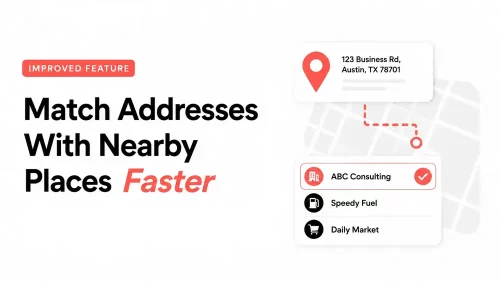
Update: Match Addresses With Nearby Places Faster

Ever looked at a mileage log and thought, “I know I drove there… but why?”

It happens more often than most drivers would like to admit. Your mileage tracker records a street address, but weeks later, that address does not tell you much. Maybe you parked a few blocks away from your actual destination. Maybe your imported Google Timeline destinations is full of raw addresses. Or maybe the place name is missing, and now you have to play detective before you can finish your mileage log.

That is exactly why MileageWise helps you match visited addresses with nearby places. And now, this feature is quicker and easier to use.

Match addresses with nearby places in the MileageWise mileage tracker app

Table of Contents

A quicker way to connect visited addresses with real places

MileageWise already gave users a way to pair saved addresses with nearby points of interest (POI). With the improved version, the process is faster and more convenient. When a new address is entered, MileageWise can show nearby places on the map, such as

  • companies
  • gas stations
  • stores
  • offices

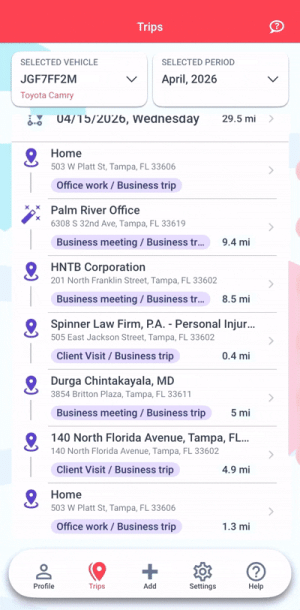
or other points of interest. Once you choose the correct place, MileageWise assigns that name to the address in your trip list and client list.

Instead of working with a plain street address, you get a destination name that is much easier to recognize later.

Why plain addresses are not always enough

A street address may be technically correct, but that does not always make it useful. For mileage tracking, the goal is not only to know where your vehicle stopped. You also need to understand what the trip was for, especially when you are preparing a business mileage log for taxes or reimbursement.

For example, a raw address may not remind you that you visited a client, stopped at a supplier, picked up business materials, or parked near a meeting location. A recognizable place name can give you the context you need much faster. That can be especially helpful when you are reviewing older trips, completing missing business purposes, or cleaning up imported Google Timeline data.

How the improved place-matching feature helps

Name destinations faster

There is no need to manually type destination names one by one if the correct place appears nearby. You can simply choose the right point of interest from the map suggestions and let MileageWise apply the name.

Get a clue when you forgot a stop

If you no longer remember why you visited a certain address, nearby place suggestions can help jog your memory. Seeing the business, store, office, or gas station near that stop can make it easier to identify the purpose of the trip.

Clean up Google Timeline imports

Google Timeline data can be useful, but imported trips may come with raw addresses or unclear destination names. The improved place-matching process helps you turn those addresses into cleaner, more recognizable locations.

Keep your client list easier to manage

Once you match an address with a nearby place, MileageWise applies that name in your trip list and client list. This helps reduce messy address entries and makes your mileage records easier to review.

Where can you use it?

In the MileageWise Mileage Tracker App

If you use the MileageWise mileage tracker app for ongoing mileage tracking, you can use the improved address matching process to name destinations faster as you build your mileage log.

In the Mileage Log from Google Maps App

If you are working with Google Timeline data, you can use the same process in the Mileage Log from Google Maps App. This is especially useful when your imported drives include raw addresses or mislabeled destinations.

poi-mobile2

In the Web Dashboard

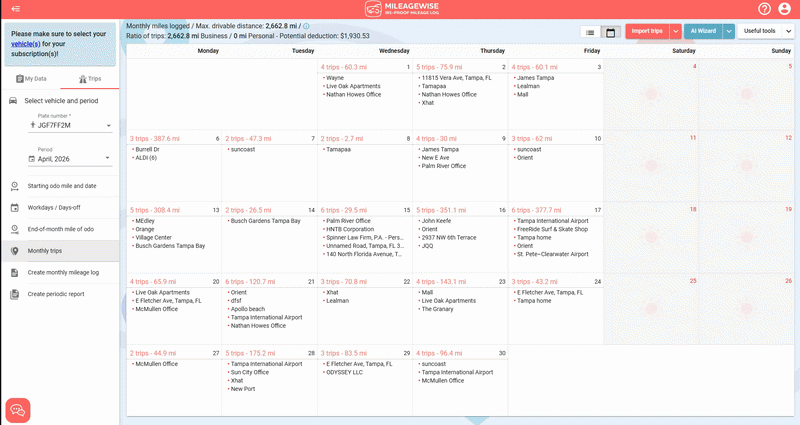
Prefer working from a computer? You can also use this feature in the MileageWise Web Dashboard. This can be a good fit when you are reviewing multiple trips, cleaning up older mileage records, or preparing a retroactive mileage log.

POI MileageWise Web Dashboard

Especially useful when you need a mileage log fast

If you need to complete a mileage log quickly, unclear destinations can slow everything down. Every raw address you have to research takes extra time. Matching addresses with nearby places helps you move through your trip list faster, identify stops more easily, and create a cleaner mileage log with less manual work. That can make a real difference when you are preparing records for tax time, reimbursement, or a past mileage log that needs to be completed as soon as possible.

Try the improved feature in MileageWise

The improved address-matching feature is built to make your mileage log easier to understand, not just easier to track. Use it to turn raw addresses into clear, recognizable destinations, clean up your trip list faster, and keep your mileage records better organized.

Try MileageWise for free for 14 days. No credit card required!

Automatic Mileage Tracker App

Google Play store

AI Logs & Google Timeline Import

Google Play store
Google Play store

Related Blogposts