




Self-Employed Tax Hub
Home » Self-employed Taxes
Last Updated: November 25, 2025
Navigating self-employed taxes can feel overwhelming, but it doesn’t have to be. Self-employed individuals, from freelancers to small business owners, face distinct tax rules. This guide helps you understand what you owe, how to pay, and how to keep more of your hard-earned money.
Table of Contents
Understanding Your Self-Employed Tax Obligations
As a self-employed individual in the U.S., you’re responsible for both federal income tax and self-employment (SE) tax. This SE tax covers Social Security and Medicare, which W-2 employees usually have taken out of their paychecks. It’s a key difference, and knowing about it upfront makes a huge difference.
What is the Federal Income Tax?
Income tax is the tax you pay on your taxable income, which is your net profit after expenses, adjustments, and the 2025 standard deduction. For 2025, the standard deduction is $14,600 for single filers, $29,200 for married couples filing jointly, and $21,900 for heads of household. After subtracting this amount from your adjusted income, the IRS applies the 2025 federal tax brackets, which range from 10% to 37%. Your income tax is calculated separately from your self-employment tax, but both are based on the profit you earn from your business.
What is Self-Employment Tax?
The self-employment tax rate for 2025 is 15.3%. This breaks down into 12.4% for Social Security and 2.9% for Medicare. You must pay this if your net self-employment income is $400 or more in a year. Remember, this is on top of your regular federal income tax.
Let’s look at an example:
Say you earn $50,000 in net self-employment income.
- Calculate taxable amount: You only pay SE tax on 92.35% of your net earnings. So, $50,000 multiplied by 92.35% equals $46,175.
- Calculate SE Tax: $46,175 multiplied by 15.3% equals $7,060.
- Deduction: You can deduct half of that SE tax ($3,530) from your adjusted gross income on your tax return. This helps lower your overall tax bill.
IRS Thresholds and Rates
The Social Security portion of the SE tax (12.4%) applies only up to a certain income limit. For 2025, this limit is $168,600 in net earnings. However, the Medicare portion (2.9%) applies to all your net earnings.
There’s also an extra 0.9% Medicare tax for high-income earners:
- Over $250,000 for married couples filing jointly
- Over $200,000 for single filers or heads of household
- Over $125,000 for married couples filing separately
It’s crucial to keep these thresholds in mind as your income grows. For more details, refer to the IRS’s self-employed resources page.
Overview: Self-Employed Tax Snapshot
| Tax Component | Rate | Income Limit (Net Earnings) | Additional Info |
|---|---|---|---|
| Social Security | 12.4% | Up to $176,100 | Applies to the first $176,100 of combined W-2 wages and net self-employment earnings in 2025. |
| Medicare | 2.9% | All earnings | No income limit; applies to all net self-employment earnings. |
| Additional Medicare | 0.9% | Above $200,000 (single) Above $250,000 (married filing jointly) |
Applies only to earnings above the threshold based on filing status. |
| Total Self-Employment Tax | 15.3% | Up to $176,100 for the Social Security portion | Base self-employment tax rate on net earnings; Social Security capped, Medicare uncapped. |
| Income Tax | 10%–37% (2025 brackets) | No income limit | Based on taxable income after adjustments and deductions. 2025 standard deduction: $14,600 (single), $29,200 (married filing jointly), $21,900 (head of household). |
Who Needs to Pay Self-Employed Taxes?
If you’re a freelancer, gig worker, independent contractor, or small business owner, the SE tax applies to you. Basically, if you’re earning income without a traditional employer withholding taxes, the responsibility falls on your shoulders once your net income hits that $400 mark. This includes:
- Freelance writers and designers
- Delivery drivers
- Consultants
- Small shop owners
- Anyone receiving a 1099-NEC for services
The IRS offers plenty of resources for self-employed individuals. You can even find helpful videos, such as this guide to Understanding Self-Employment Tax from YouTube. The IRS also provides an IRS Small Business Self-Employed Tax Center video in ASL.
Quarterly Estimated Payments
One of the biggest differences for self-employed individuals is the need to make quarterly estimated tax payments. The IRS expects you to pay your taxes as you earn income throughout the year. Failing to do so can lead to penalties. Your estimated tax payments are due on:
- April 15 (for January 1 to March 31)
- June 15 (for April 1 to May 31)
- September 15 (for June 1 to August 31)
- January 15 of next year (for September 1 to December 31)
If these dates fall on a weekend or holiday, the deadline shifts to the next business day.
Smart Deductions to Lower Your Taxable Income
The good news is that many ordinary and necessary business expenses can reduce your taxable income. This means you pay less in taxes. Some common deductible expenses include:
- Office supplies and equipment: Think pens, paper, laptops, and software.
- Rent and utilities: If you have a dedicated office space outside your home.
- Home office deduction: If you use a part of your home exclusively and regularly for business.
- Health insurance premiums: If you pay for your own health insurance and aren’t eligible for an employer-sponsored plan.
- Retirement contributions: Saving for retirement in a SEP IRA or Solo 401(k) can seriously lower your taxable income. For 2025, you can contribute up to $70,000 ($77,500 if you’re age 50 or over).
- Vehicle expenses and mileage: You can deduct the business use of your car, either by tracking actual vehicle expenses or using the IRS standard mileage rate.
Watch Genix’s video for a short visual guide.

Common Mistakes to Avoid
- Underestimating your tax bill: The 15.3% SE tax catches many new self-employed people off guard. Always factor it in.
- Forgetting self-employed quarterly taxes: This is perhaps the most frequent error. Set reminders, automate payments, or use software to help you stay on track.
- Not taking all eligible deductions: Do your homework or work with a tax professional to ensure you’re not leaving money on the table.
- Poor recordkeeping: If you can’t prove an expense, you can’t deduct it. Keep receipts, invoices, and detailed logs.
Streamlining Your Self-Employed Taxes with MileageWise
As a self-employed professional, every deduction counts, and mileage is a big one. This is where tools like MileageWise come in, helping you simplify self-employed taxes by making mileage tracking seamless and audit-proof.
MileageWise offers a comprehensive suite of tools designed to handle your mileage tracking efficiently and accurately:
Mobile App for Mileage Tracking
- Hands-Free Mileage Tracking: Capture every work mile automatically with several tracking modes.
- Fast, Easy Setup: Get started in minutes so you can stay focused on earning, not configuring an app.
- Ad-Free & Private: Enjoy clean, uninterrupted tracking without ads or selling your data.
- Accurate Start Point Backup: Detects trip starting points precisely, even when other apps miss them.
- Flexible Route Options: Log exact routes or let the app calculate optimized distances.
- Waze-Friendly Navigation: Use Waze for driving while the app logs your trips, perfect for busy days.
- Built-In Expense Tracking: Keep mileage and business expenses side by side for simpler tax prep.
Dashboard for a Retroactive Mileage Log
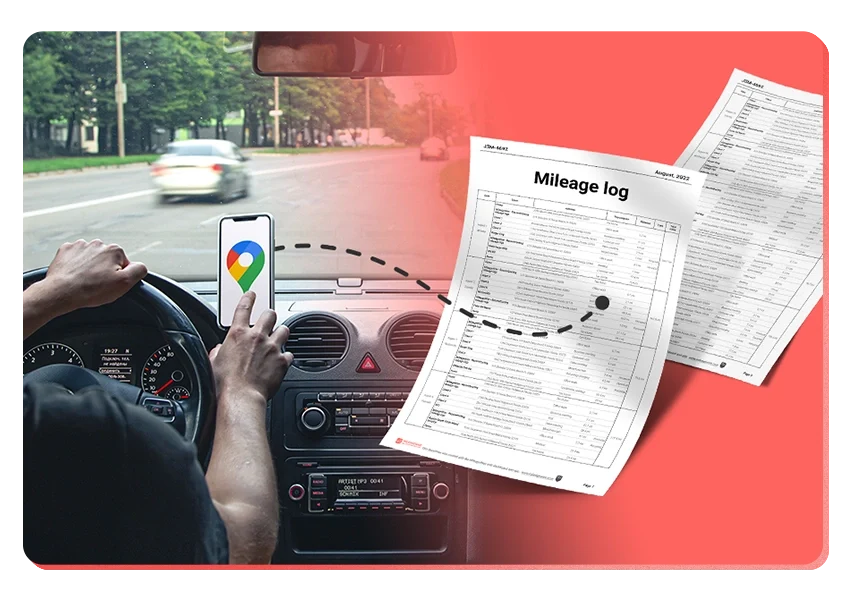
- Google Timeline Import: Pull in your Google Location History to rebuild days you forgot to track, or past years for an audit.
- AI Mileage Rebuilder: Let AI recreate past trips automatically, saving hours of manual typing.
- IRS Compliance Check: Scan your logs for IRS-related issues and potential red flags to stay audit-ready.
- Bulk Trip & Client Import: Upload clients or preset routes in batches—ideal for high-mileage pros.
- Smart Trip Management: Organize recurring drives, edit in bulk, and categorize trips easily when handling a busy workday.
Try MileageWise for free for 14 days. No credit card required!
Customer Story: How I Rebuilt My Mileage Log
I’m a self-employed mobile locksmith, so I’m on the road all day helping clients who need quick service. For years, I relied on memory and scattered notes to track my business miles, which always left me stressed at tax time. Things changed when I started using a tool that lets me bring in my Google Timeline data. The Google Timeline import feature pulled my past routes straight from my phone, even on days when I forgot to jot anything down.
I could finally see every stop I made, match them to client jobs, and complete a full mileage log without digging through old calendars or texts. It saved me countless hours and helped me clean up gaps I didn’t even realize were there. Being able to rebuild my year this way made tax season surprisingly smooth. Now I feel prepared and confident because I know my mileage records are complete and IRS-friendly without needing to track everything in real time.
Conclusion: Your Path to Stress-Free Self-Employed Taxes
Navigating self-employed taxes doesn’t have to be a struggle. By understanding your obligations, tracking expenses, and leveraging smart tools, you can manage your taxes efficiently and maximize your deductions.
FAQ
Do I need to make quarterly estimated tax payments?
You usually do if you expect to owe $1,000 or more when you file. Payments are due in April, June, September, and January. To avoid penalties, pay at least 90% of this year’s tax or 100% of last year’s (110% for higher incomes).
How much should I set aside for taxes?
Many self-employed people set aside 25–35% of their profit to cover federal taxes. To avoid penalties, follow safe-harbor rules or make quarterly payments. If you also have a W-2 job, you can increase withholding there instead of making separate estimated payments.
Which tax forms do self-employed people file?
Most people file Form 1040, Schedule C, Schedule SE, and possibly Form 1040-ES for estimated payments. You must report all income whether or not you get a 1099.
What counts as self-employment income?
Any payment for your work: cash, checks, digital payments, tips, barter, 1099-NEC amounts, and in some cases amounts reported on 1099-K. You must report all taxable income even if you don’t receive a form.
What expenses can I deduct?
Expenses that are ordinary and necessary for your business, such as home office, vehicle costs, travel, supplies, software, phone/internet (business part), advertising, insurance, and professional fees. You can also deduct retirement contributions, self-employed health insurance (if eligible), and half of your SE tax. Keep good records.
Can I claim the home office deduction?
Yes, if the space is used regularly and only for business and it’s your main place of business. You can use the simplified method ($5 per sq ft up to 300 sq ft) or the regular method (a percentage of home expenses). The deduction cannot exceed your business income.
What is the Qualified Business Income (QBI) deduction?
Many self-employed people can deduct up to 20% of their qualified business income. There are income limits and special rules for certain types of businesses, so check the current thresholds.
Related Blogposts

Our New Timeline Import App
Our new Timeline Import app makes it incredibly easy to turn your Google Maps Timeline trips into a clean, accurate, and IRS-proof mileage log. Without

DoorDash Tips and Tricks: Your Edge Over Competition
Last Updated: November 17, 2025 I’m excited to share the top DoorDash tips and tricks shared by YouTuber Pedro “Mr.BetonYou” Santiago. He collected and vetted the

8 Uber and Lyft Scams Every Driver Should Know
Last Updated: November 9, 2025 Driving for Uber or Lyft can be a rewarding gig, offering flexibility and the chance to meet new people. However,
SherpaShare Shutdown – What To Do Now?
Last Updated: October 7, 2025 SherpaShare was a service designed primarily for people who work as independent contractors, particularly those in the ride-sharing and delivery
Gas Mileage Tracker: Your Key to Savings
Last Updated: August 8, 2025 A gas mileage tracker helps drivers watch their vehicle’s fuel use, mileage, and related costs. You might want one to

How To Track Miles on iPhone: Find your Match
Last Updated: August 6, 2025 Looking to track miles on your iPhone? Whether it’s for fitness, personal use, or business tax deductions, your iPhone offers


It’s Finally Here! Google Maps Timeline Import from Mobiles
Transform your Trip Lists into Mileage Logs with MileageWise

Our New Timeline Import App
Our new Timeline Import app makes it incredibly easy to turn your Google Maps Timeline trips into a clean, accurate, and IRS-proof mileage log. Without

DoorDash Tips and Tricks: Your Edge Over Competition
Last Updated: November 17, 2025 I’m excited to share the top DoorDash tips and tricks shared by YouTuber Pedro “Mr.BetonYou” Santiago. He collected and vetted the

8 Uber and Lyft Scams Every Driver Should Know
Last Updated: November 9, 2025 Driving for Uber or Lyft can be a rewarding gig, offering flexibility and the chance to meet new people. However,
SherpaShare Shutdown – What To Do Now?
Last Updated: October 7, 2025 SherpaShare was a service designed primarily for people who work as independent contractors, particularly those in the ride-sharing and delivery
Gas Mileage Tracker: Your Key to Savings
Last Updated: August 8, 2025 A gas mileage tracker helps drivers watch their vehicle’s fuel use, mileage, and related costs. You might want one to

How To Track Miles on iPhone: Find your Match
Last Updated: August 6, 2025 Looking to track miles on your iPhone? Whether it’s for fitness, personal use, or business tax deductions, your iPhone offers

Was Your Google Timeline Deleted? Here’s What Happened:
Last updated: November 20, 2025 If you recently opened Google Maps and noticed your Timeline was deleted or partially missing, you’re not alone. In this

It’s Finally Here! Google Maps Timeline Import from Mobiles
Struggling to Manage Your Trips After Google’s Timeline Update? If you’re reading this, you’ve likely encountered the recent update affecting Google Maps Timeline. With Timeline
Transform your Trip Lists into Mileage Logs with MileageWise
Last Updated: October 1, 2025 Do you have a list of monthly trips from a data source like Excel or Google Timeline, but need to

How to Download Google Timeline Data: A Guide
Google Timeline Import Hub Last Updated: October 30, 2025 Want to download Google Timeline data? This guide shows you how to extract your location history

How to Export Google Maps Timeline: Get Your Data
Google Timeline Import Hub Last Updated: October 29, 2025 It can be tricky to export Google Maps Timeline data after Google’s recent updates. Many users

Google Maps Mileage Tracker: From Timeline to Mileage Log
Google Timeline Import Hub Last Updated: October 29, 2025 If you’re an active user of Google Maps Timeline you likely already know how convenient it
Timeero
Table of Contents Timeero Timeero is a time, location, and mileage tracking app designed for businesses and teams in the United States. It helps employers
Milewise by Allstate
Table of Contents Milewise by Allstate Milewise by Allstate is a pay-per-mile car insurance program offered by Allstate Insurance in the United States. It’s designed
Hurldr
Table of Contents Hurdlr Hurdlr is a finance and expense tracking app designed for self-employed professionals, freelancers, and gig workers in the United States. It