IRS Mileage Log Guide


Home » IRS-Compliant Mileage Log » How to Track Mileage for Taxes
Last Updated: March 20, 2026
If you’re asking how to track mileage for taxes, you’re on the right path to saving money. Business driving deductions can add up to thousands of dollars each year. The IRS allows you to deduct the costs of using your car for work. This is especially true for self-employed individuals, gig workers, and small business owners. However, you need accurate and detailed records to back up your claims if the IRS comes calling. Let’s break down how to get this done.
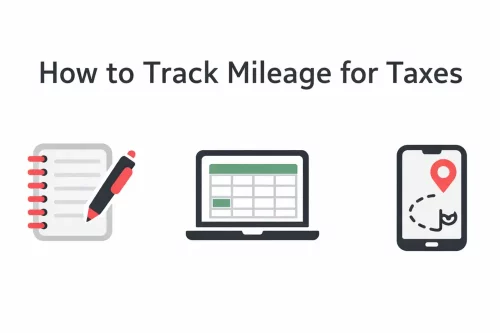
Table of Contents
Key Elements of a Mileage Log
To claim mileage deduction, you must keep contemporaneous records. This means you need to record your mileage as you drive, not try to guess or rebuild your log later. The IRS frequently audits mileage deductions. About 70% of disallowed deductions happen because people don’t have good records.
It’s also not just about staying compliant. Tracking your miles can save your thousands. Here’s what you need to track for each business trip for IRS-compliant mileage records:
- Date: When the trip happened.
- Destination: Where you went.
- Business Purpose: Why you took the trip.
- Miles Driven: How far you drove.
You should additionally record your odometer readings at least yearly, so the recorded miles match your actual driven distance. Remember, you cannot deduct personal miles. Only trips strictly for work are eligible for claiming the business mileage rate, like trips to client meetings or job sites. It does not include your regular commute from home to your primary workplace.
Medical, military moving, and charity trips are also deductible, with different mileage rates.

Proven Methods to Track Mileage for Work
Choosing the right way to track your miles is key to making sure your records are accurate. Many people wonder how to log miles for taxes. There are a few main ways to go about it, each with its own pros and cons. Automated apps are usually the most accurate and easiest to use, but manual methods can work for those who don’t drive much for work.
Let’s look at the most common methods for tracking mileage.
1. Manual Paper Logbook
This is the old-school way. You write down each trip by hand.
- How it works: You keep a small notebook in your car. Every time you drive for business, you write down the date, where you started, where you went, why you went there, and how many miles it was. You also write down your odometer reading at the start and end of the year.
- Pros: Free, very simple to start.
- Cons: Easy to forget entries, can be messy, very time-consuming, and prone to errors. You have to calculate miles yourself. If you miss a trip, you can’t easily add it later.
- Best for: People who rarely drive for business and have very few trips to track.
2. Spreadsheets and Odometer Readings
This method gets a bit more organized than a simple paper log, but still needs manual input.
- How it works: For each business trip, you record the needed details and usually fill out the start and end odometer readings. From the odometer reading, the spreadsheet can automatically calculate the distance.
- Pros: More organized than a paper log, can be done digitally. Easy edits and automatic calculations.
- Cons: Still requires you to manually record information for each trip, which can be forgotten or lead to mistakes.
- Best for: Basic tracking for those comfortable with spreadsheets and consistent in logging.
Automated GPS Tracking Apps
These apps use your phone’s GPS to automatically detect and log your drives. They can tell the difference between business and personal trips and create detailed reports you can export for your taxes.
- How it works: You install the app on your phone. It runs in the background, using GPS or motion sensors to track when you start and stop driving. It then records the route, distance, and destinations.
- Pros: Hands-free, very accurate routes, less chance of forgetting to log a trip, and automatic reports.
- Cons: Can use up battery power on your phone. Usually requires a subscription.
- Best for: People who drive a lot for work, like gig workers or sales professionals.
- Examples: Everlance, Driversnote, MileageWise.
| Method | Description | Pros | Cons | Best For |
|---|---|---|---|---|
| Manual Paper Logbook | Note date, odometer start/end, destination, and purpose for each trip. | Free, simple to start. | Error-prone, easy to forget entries, manual distance calculation. | Very low-mileage users, occasional business trips. |
| Odometer + Spreadsheet | Record trip details and odometer readings in a digital sheet. | Organized, digital record. | Still requires manual entry for every trip. | Basic tracking, consistent loggers. |
| GPS Mileage Tracer Apps | Automatically detects drives, classifies trips, and generates reports. | Hands-free, accurate, automatic reports. | Possible battery drain, often requires a paid plan. | High-mileage drivers, gig workers. |
Meet MileageWise: Your Solution for Audit-Proof Mileage Logs
Now that you understand the methods to track mileage for taxes, let’s introduce a solution designed to make this process simple, accurate, and completely audit-proof: MileageWise. We focus on providing cutting-edge technology that takes the guesswork out of mileage tracking. Our goal is to ensure you maximize your tax deductions without worrying about IRS scrutiny.
Try MileageWise for free for 14 days. No credit card required!
Automatic Mileage Tracker App


Conclusion
Successfully tracking mileage for taxes is easier than you think, especially with modern tools. Start today to save money and stay compliant. Here’s how to begin:
- Understand the IRS rules: Know what to track and why it matters.
- Choose a method: Pick an app or system that fits your driving habits.
- Start tracking immediately: Don’t wait until year-end.
- Classify your trips: Regularly mark trips as business or personal.
- Keep good records: Make sure all necessary details are included.
- Export reports: Have your data ready for tax time.
FAQ
What should my mileage log include?
Record the date, start and end location (or odometer), business purpose, and miles for each trip. Note any parking and tolls for business trips. Also record total miles for the year and keep a separate log for each vehicle.
Do I need to record every trip?
You are not required to include personal and commuting trips in your mileage log. However, this improves accuracy and provides a clear record where every rolled mile on your odometer is accounted for. As a result, it is easier to defend in case of an audit.
What counts as business miles vs commuting?
Business miles are trips to clients, temporary job sites, and between workplaces. Commuting between home and your regular workplace is not deductible. Personal detours are not business miles.
How do I track mileage for work if I am a remote contractor?
If your home is your principal place of business, trips from home to clients or temporary sites are business miles. If your employer’s office is your main workplace, home-to-office trips are commuting and not deductible. Document your home-office status if you rely on it.
Should I use an app or a paper log?
Either is fine if it’s accurate and kept at the time of travel. Apps with GPS are convenient—export and back up your logs. A notebook or spreadsheet also works if it includes all the required details and you can jot down your trips consistently.